Built for K-12 school districts
Design the school year.
Bring proposals to the board.
For district administrators who currently keep next year's calendar in a spreadsheet, rebuild it after every revision, and assemble the board packet by hand.
New for the 2026–2027 planning cycle. Founding-customer districts welcome.
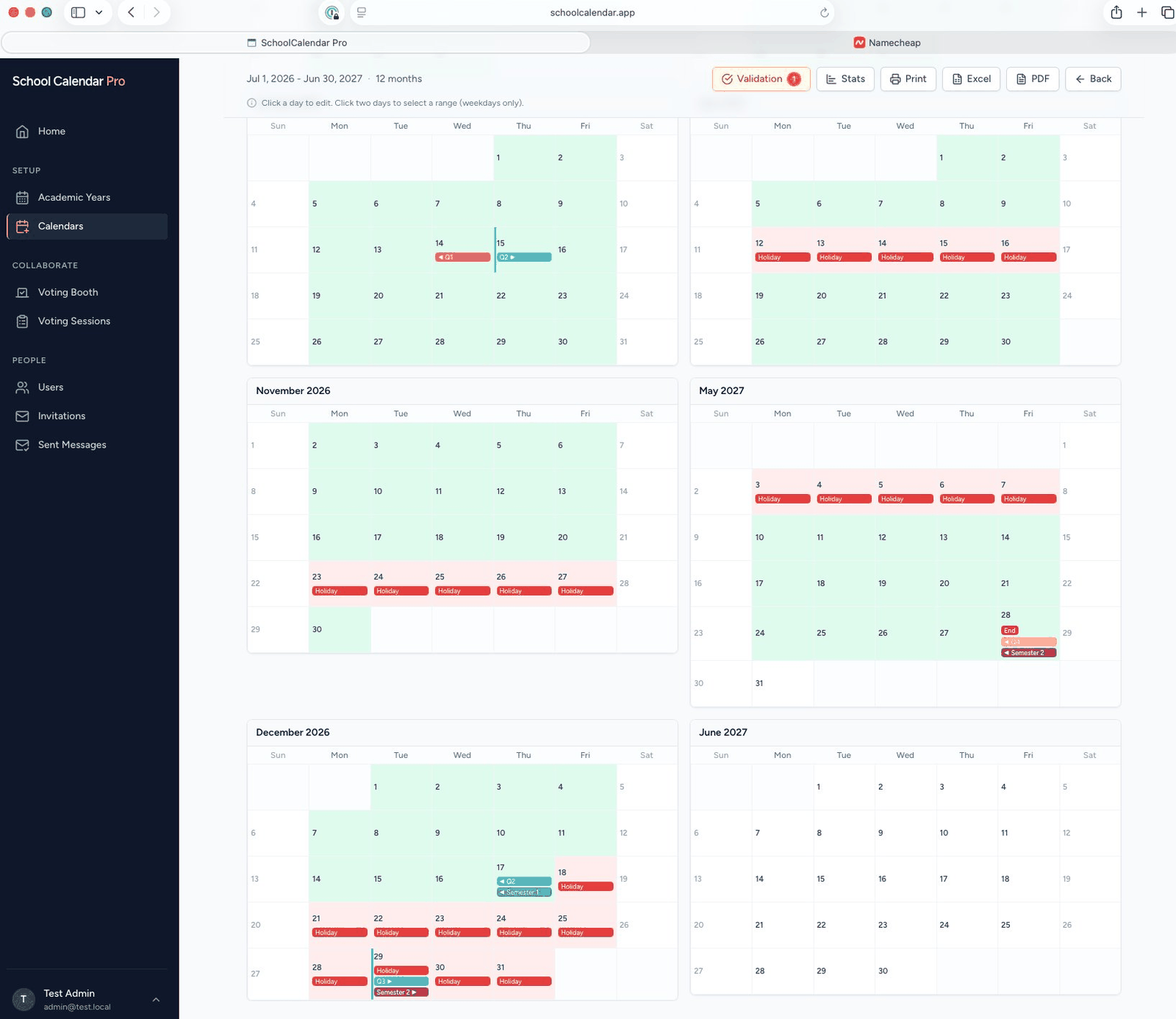
Year setup
One control panel per school year
Every academic year is a self-contained workspace. Required student time, normal-day minutes, grading periods, day types, and the calendars themselves — all on one screen, all scoped to that year.
Run multiple years side-by-side: traditional schedule, CTE, alternative — each with its own configuration. Clone a year forward to start next year's planning with last year's structure already in place.
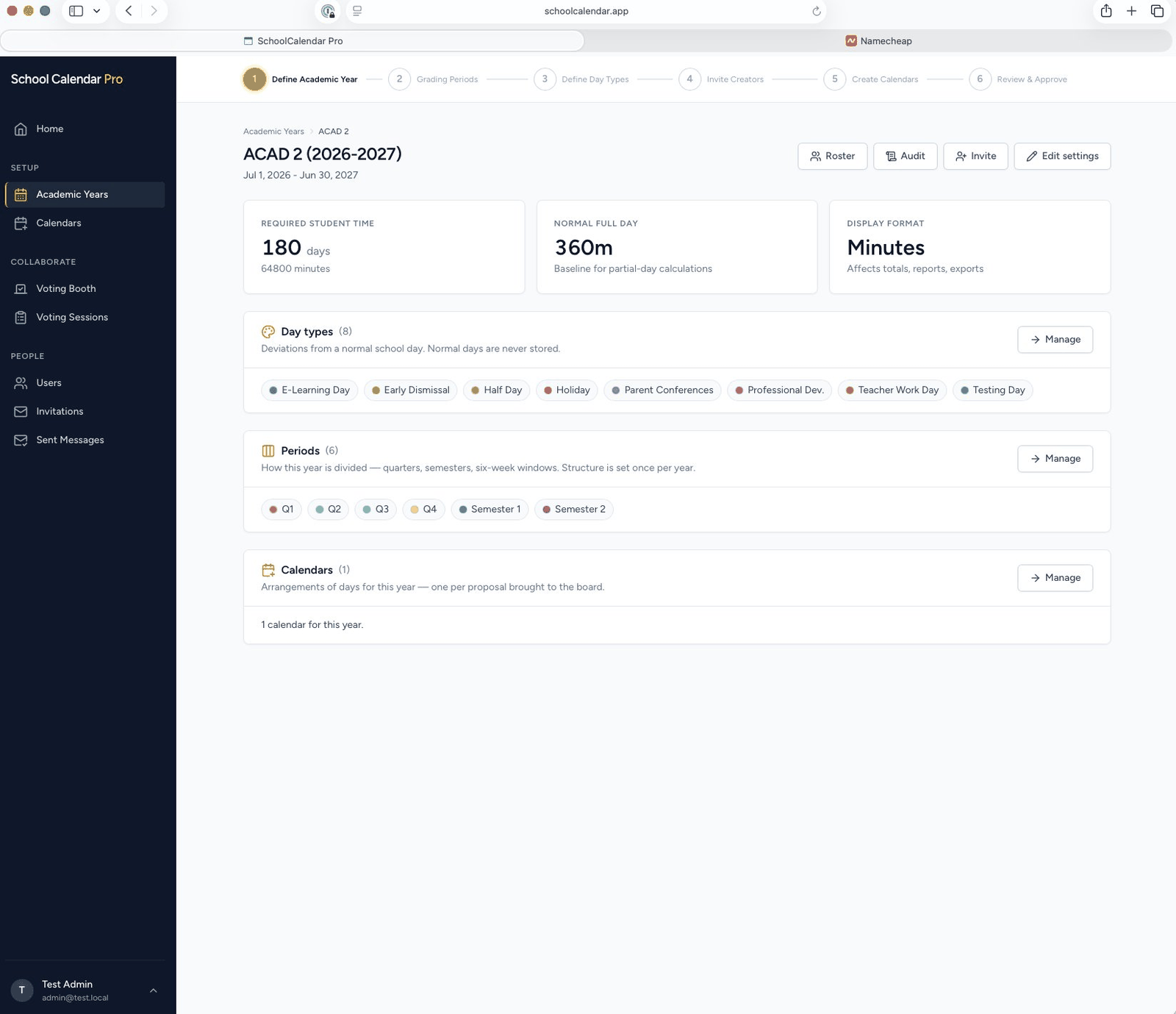
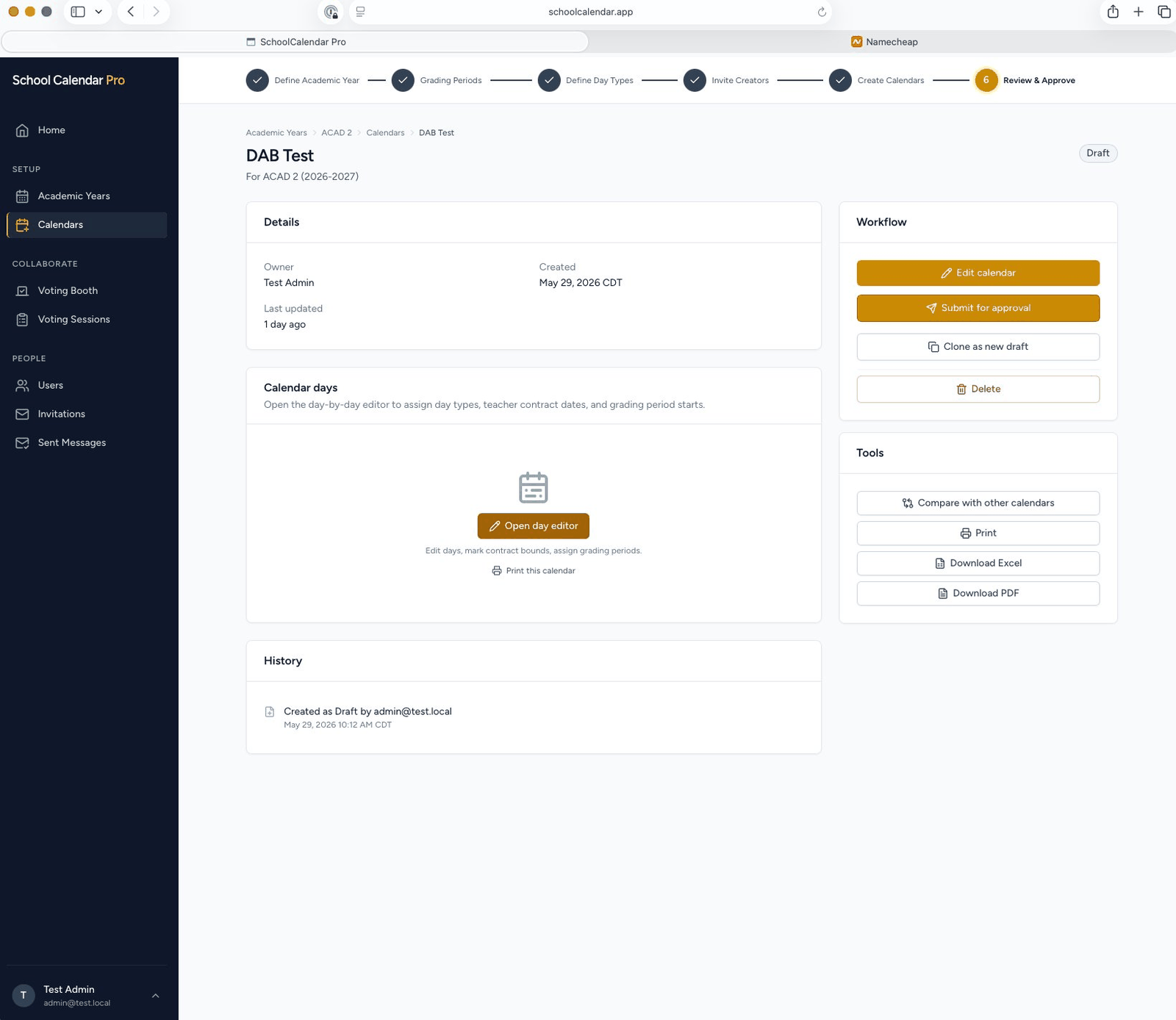
Calendar drafts
Draft as many proposals as the board needs
Build calendar A, then calendar B, then calendar C. Each goes through its own workflow — Draft, In Review, Approved, Finalist, Official — with clear status badges and a built-in audit trail.
Compare any two side-by-side with day-level differences highlighted. Clone an approved calendar to start a variant without losing the original.
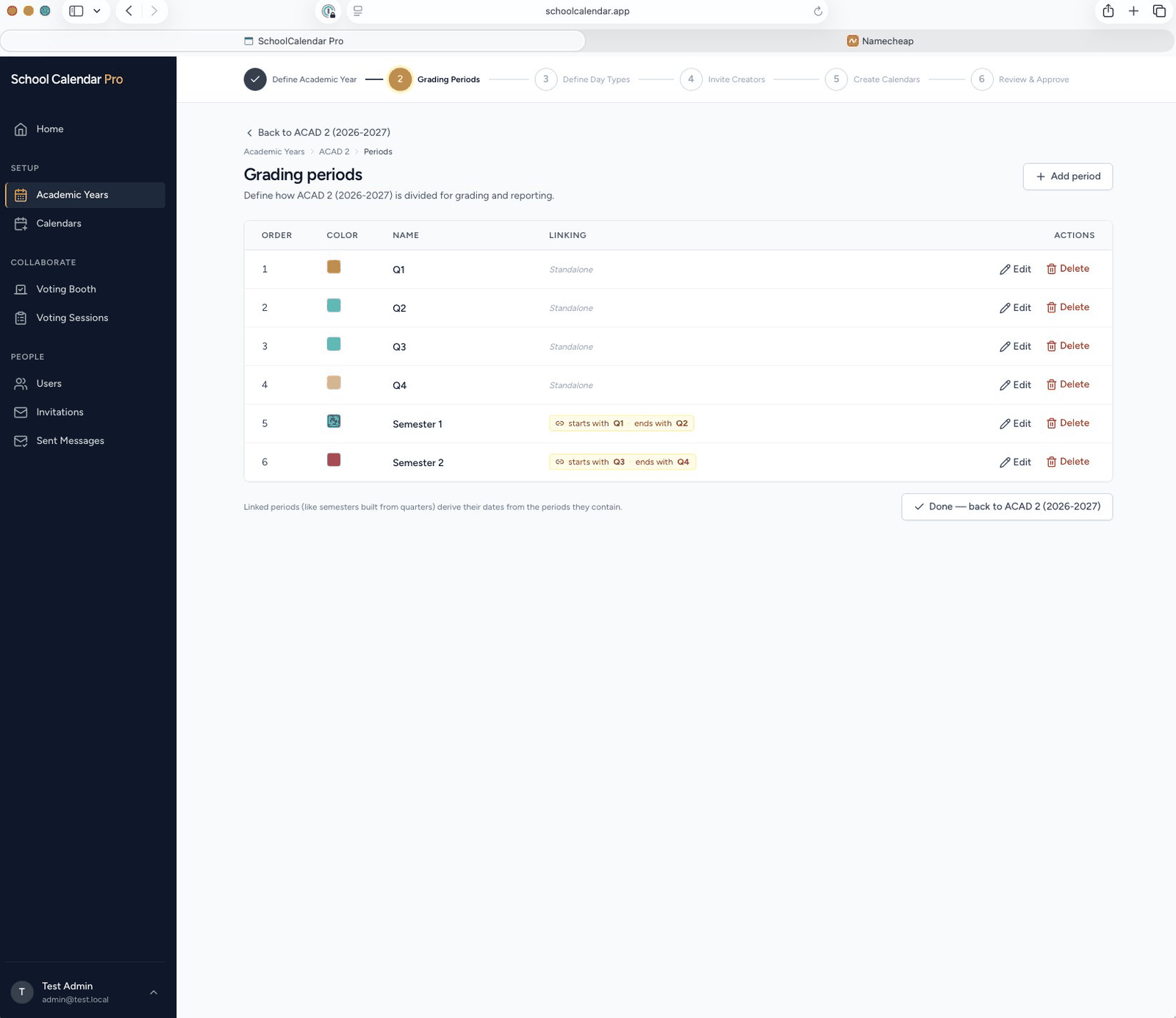
Period sequencing
Set a quarter start. The rest follows.
Define quarters, semesters, six-week terms — whatever your district uses. Link a semester to the quarters it contains, and its dates derive automatically. When you move Q2's start, Q1's end follows. When you mark a holiday, the period boundaries adjust around it.
No spreadsheet formulas to maintain. No recalculation after every revision.
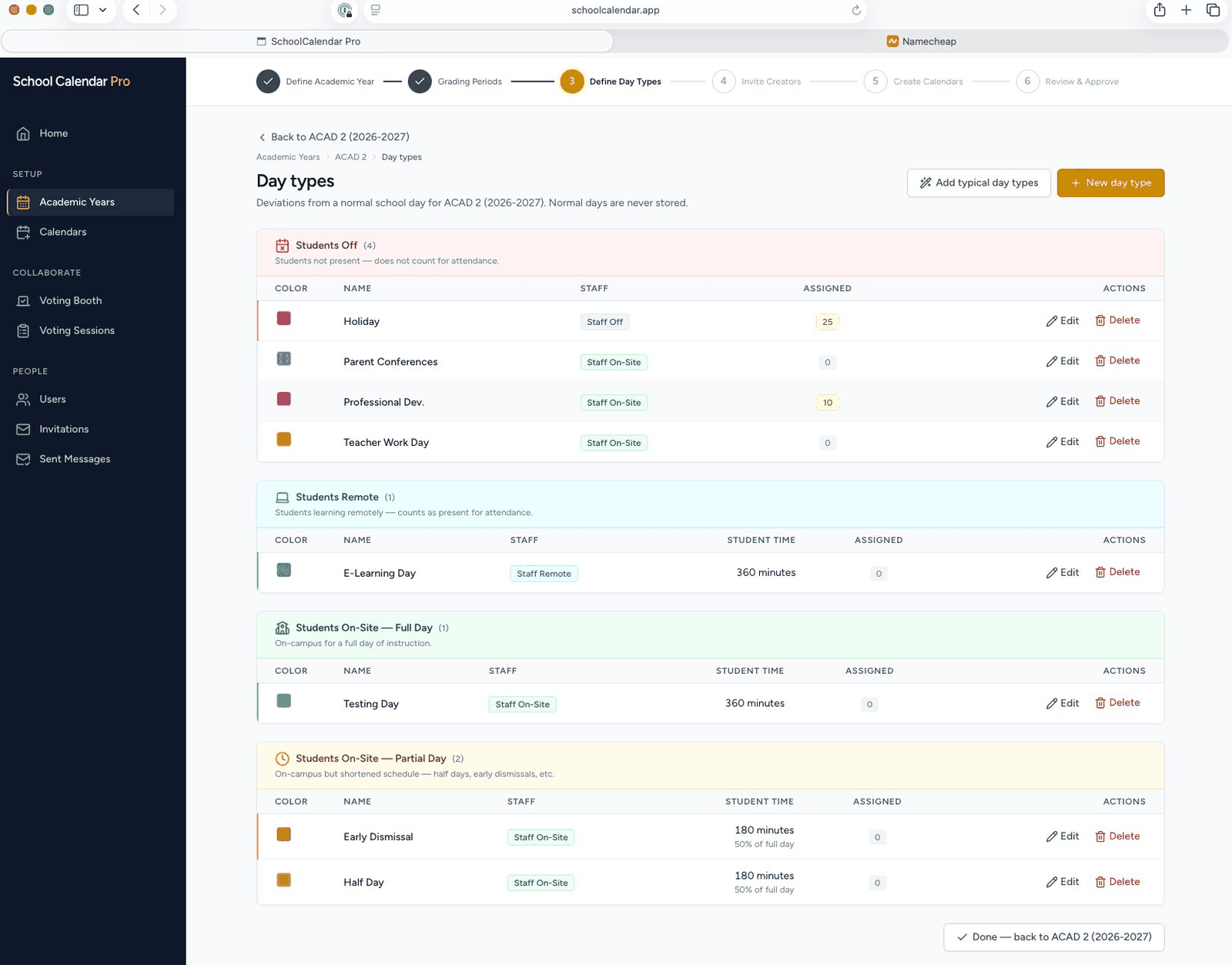
Day types
Holidays, half days, in-service days — every exception accounted for
Each day type carries its own student-attendance setting, staff-attendance setting, and minute count. Half days count as 180 minutes; in-service days count as staff-only; holidays count as nobody. The math adds up at the end.
Seed your year with a typical set — Holiday, Half Day, Professional Development, and Teacher Work Day — then customize. Or define your own from scratch.
Reporting & exports
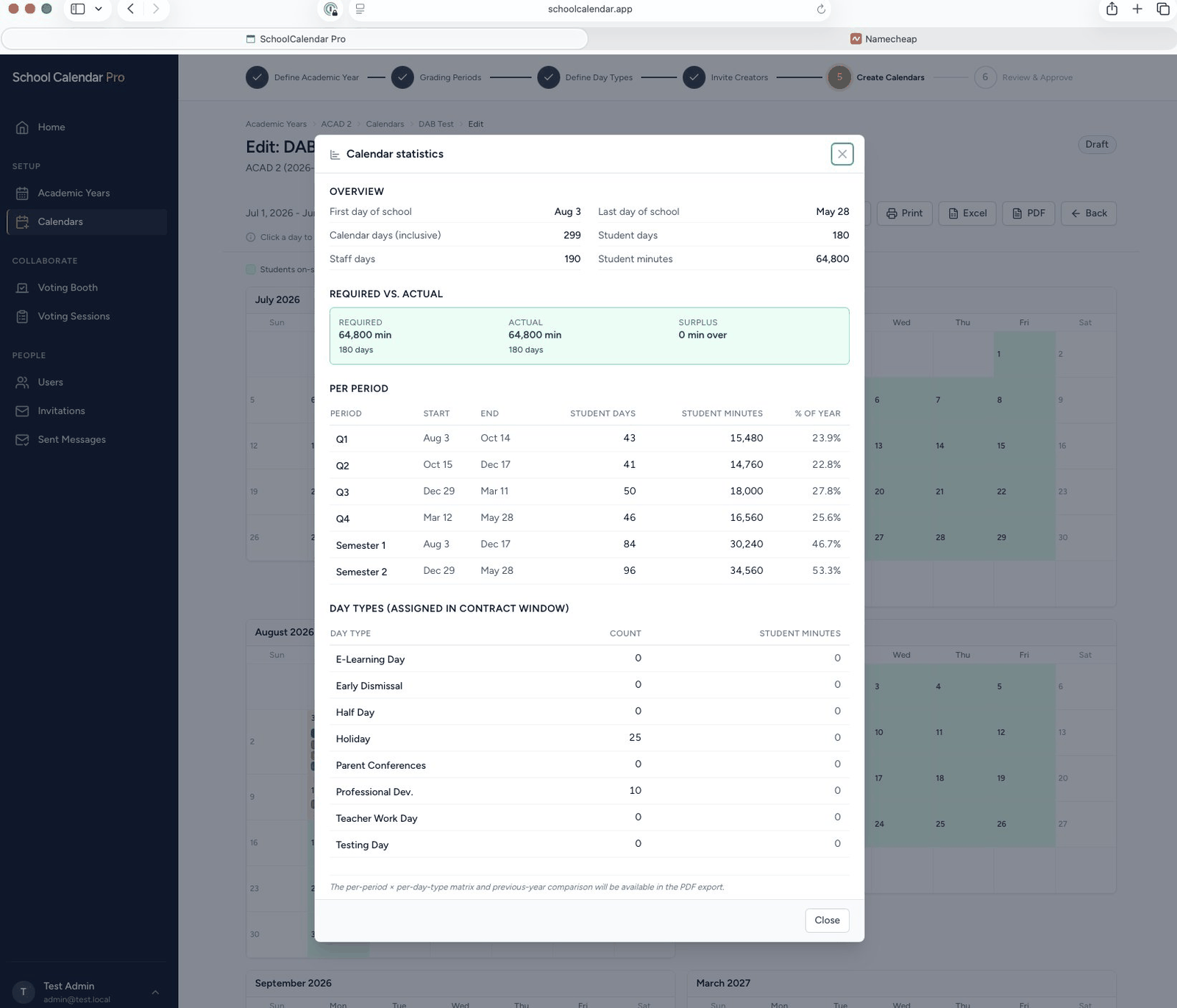
The required-minutes math, done for you
Required vs. actual student time. Per-period breakdowns. Day-type totals. The numbers update as you edit. Export the calendar as a print-ready PDF, an editable Excel workbook, or — when the board has chosen — a signed certification report that records the vote, the participants, and the final selection.
How it works
Six steps from blank year to board-adopted calendar
-
1
Define academic year
Set the window, required minutes, and display format.
-
2
Configure grading periods
Quarters, semesters, six-week terms — any structure.
-
3
Define day types
Holidays, half days, in-service. Seed typical or custom.
-
4
Invite the team
Editors build, voters vote, viewers observe.
-
5
Build calendars
Day-by-day editor with auto period sequencing.
-
6
Vote & certify
Board selects. System certifies and locks the year.
Pricing
Flat annual fee, by district size
Billed annually in advance. Net 30. Renews automatically with 90 days' notice to cancel. No per-user accounting.
Small district
$2,500
per year
Up to 2,500 students
Mid-size district
$3,750
per year
2,501–10,000 students
Large district
$4,999
per year
10,001+ students
Districts above 25,000 enrollment — contact us for a custom quote. Full pricing terms in the Terms of Service.
Frequently asked
Questions districts ask us
Is student data involved?
Where does the data live?
Can we use it for parallel calendars — CTE, alternative schedule, year-round?
What about accessibility?
How does cancellation work?
Who is behind SchoolCalendar Pro?
Stop rebuilding next year's calendar in a spreadsheet.
Create an account, set up your year, draft the proposals you want the board to consider. Takes about an hour the first time through.